
Download RawTherapee – Free RAW Photo Editing Software for Windows, Mac & Linux
Overview
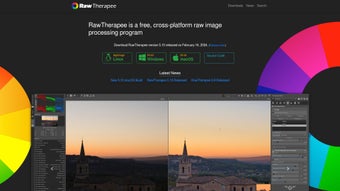
RawTherapee is a comprehensive RAW photo editing tool that targets both hobbyist and professional photographers who demand precise control over their image files. Built around a non‑destructive workflow, the program supports a broad range of RAW formats—including NEF, CR2, ARW, DNG—as well as common JPEG and TIFF files. Its interface mimics the familiar layout of Adobe Lightroom, offering a clean, panel‑based workspace that lets you toggle between a histogram, a preview window, and a suite of adjustment sliders. What sets RawTherapee apart is the depth of its processing engine: from basic exposure tweaks to advanced tone‑mapping, color‑space conversion, and lens correction, the software delivers impressive results without sacrificing image fidelity. While some operations, such as batch applying complex curves, can be computationally intensive, the overall experience remains smooth on modern hardware. The built‑in history panel records each change, allowing you to backtrack or compare edits instantly, and metadata is displayed alongside every image for quick reference. Whether you’re shooting in low light, aiming for studio‑grade portraiture, or simply fine‑tuning a landscape, RawTherapee provides a powerful, free alternative that keeps your creative workflow secure and efficient.
Key Features
- Extensive RAW Support: Handles over 500 camera models, including Nikon NEF, Canon CR2, Sony ARW, and the universal DNG format.
- Non‑Destructive Editing: All adjustments are stored in side‑car files, preserving the original image data.
- Advanced Color Management: ICC profile handling, Lab and XYZ color spaces, and precise white‑balance tools.
- Powerful Tone Curves & Levels: Multi‑point curves, highlight/shadow recovery, and HDR toning options.
- Detail Enhancement: Sharpening, noise reduction, and wavelet denoising with real‑time preview.
- Batch Processing Engine: Queue up hundreds of images, apply presets, and export with custom naming schemes.
- Lens & Perspective Corrections: Automatic profile‑based distortion, vignetting, and chromatic aberration removal.
- Metadata Viewer & Editor: Exif, IPTC, and XMP data are displayed and can be edited directly.
- Customizable Interface: Dockable panels, dark/light themes, and keyboard shortcuts for a personalized workflow.
- Cross‑Platform Availability: Native builds for Windows, macOS, and Linux, all free and open source.
Installation & First‑Run Workflow
Downloading the Installer
Visit the official RawTherapee website and choose the installer that matches your operating system. Windows users download an .exe file, macOS users get a .dmg, and Linux enthusiasts can use a .deb or .AppImage. The download is secured via HTTPS and includes a SHA‑256 checksum for verification.
Step‑by‑Step Installation
- Run the installer and follow the on‑screen prompts. Accept the license agreement and select the destination folder (default is fine for most users).
- On macOS, drag the RawTherapee icon into the Applications folder.
- Linux users can either install the
.debwithsudo dpkg -i rawtherapee_*.debor make the AppImage executable (chmod +x RawTherapee‑*.AppImage) and launch it directly.
Launching and Importing Images
When you first open RawTherapee, you’ll be greeted by the main workspace. Click the “Folder” tab on the left, navigate to your photo directory, and hit the refresh button. Raw files appear as thumbnails; double‑click any image to open the editing panel. The top toolbar provides quick access to the history panel, side‑by‑side comparison mode, and export options.
Basic Editing Workflow
Start with the “Exposure” slider to adjust brightness, then move to “Contrast” and “Saturation” for tonal balance. For color correction, open the “White Balance” module and select a preset (Daylight, Cloudy, etc.) or fine‑tune the temperature and tint sliders. Use the “Curve” tool for precise tonal shaping, and finish by applying sharpening or noise reduction as needed. Once satisfied, click the “Save” button—RawTherapee creates a .pp3 side‑car file that stores all adjustments, allowing you to revisit or re‑export the image at any time.
Compatibility & System Requirements
RawTherapee runs on the three major desktop platforms:
- Windows: Windows 10 (64‑bit) or later; minimum 2 GB RAM, though 4 GB+ is recommended for large batch jobs.
- macOS: macOS 10.13 (High Sierra) or newer; Intel or Apple Silicon (via Rosetta 2 for older builds).
- Linux: Any modern distribution with GTK 3 support; 64‑bit architecture is required.
The application leverages the OpenCL framework for GPU‑accelerated processing, so a compatible graphics card (NVIDIA, AMD, or Intel) can dramatically speed up tasks like demosaicing and noise reduction. However, RawTherapee works perfectly in CPU‑only mode for systems without OpenCL support.
Because the software is open source, updates are released regularly. Users can enable automatic checks in the preferences panel, ensuring they always have the latest performance improvements and camera profile additions.
Pros & Cons
Pros
- Completely free and open‑source, with no hidden fees.
- Supports an extensive list of RAW formats and camera models.
- Non‑destructive workflow preserves original files.
- Advanced color management and tone‑mapping tools.
- Powerful batch processing for large projects.
- Cross‑platform availability (Windows, macOS, Linux).
- Active community providing presets, tutorials, and support.
Cons
- Interface can feel overwhelming for absolute beginners.
- Some high‑level operations (e.g., complex curve edits) are CPU‑intensive.
- Lacks native cloud syncing; users must manage backups manually.
- Occasional compatibility quirks with very new camera models (requires profile updates).
- No integrated cataloging system comparable to Lightroom’s library.
Frequently Asked Questions
Is RawTherapee really free?
Yes. RawTherapee is released under the GNU GPL v3 license, which means you can download, use, and modify it at no cost.
Can I edit JPEG files in RawTherapee?
Absolutely. While the software shines with RAW files, it fully supports JPEG, TIFF, and PNG formats, allowing you to apply the same powerful adjustments.
How does RawTherapee handle color profiles?
RawTherapee includes an extensive ICC profile library and lets you embed custom profiles. You can convert images between sRGB, Adobe RGB, ProPhoto RGB, and many camera‑specific profiles.
Is there a way to automate repetitive tasks?
Yes. The batch processing queue lets you apply presets, resizing, renaming, and export settings to entire folders with a single click.
Will RawTherapee work on older hardware?
The core engine runs on CPU alone, so even machines without modern GPUs can edit RAW files, though processing times may be longer for high‑resolution images.
How do I keep my edits organized?
RawTherapee creates side‑car .pp3 files that store all adjustments. You can sort images into folders, use the built‑in rating stars, or integrate with external catalog tools like digiKam.
Conclusion & Call to Action
RawTherapee stands out as a feature‑rich, cost‑free solution for anyone serious about RAW photography. Its deep editing capabilities, extensive format support, and cross‑platform availability make it a compelling alternative to subscription‑based tools. While the learning curve may be steeper than some consumer‑grade editors, the investment in time pays off with unparalleled control over color, tone, and detail. Whether you’re a landscape enthusiast seeking precise gradient control, a portrait photographer needing skin‑smoothing algorithms, or a batch‑processing pro handling thousands of images, RawTherapee delivers the performance you need without compromising on quality.
Ready to experience professional‑grade RAW editing without paying a dime? Download RawTherapee now, follow the simple installation steps, and unleash the full potential of your camera’s raw files today.







